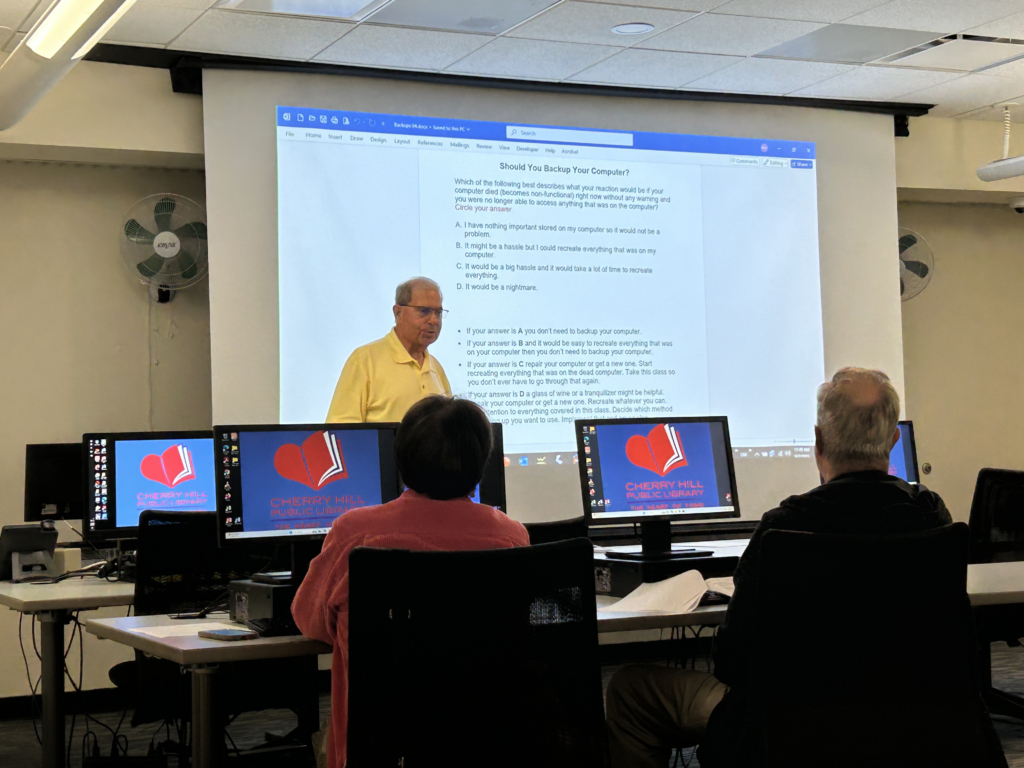
Instructor Peter Mokover hosted the class, acknowledging that while no method is a guarantee of security for devices, backups are recommended.
The Cherry Hill library’s many offerings include sessions that teach people how to use technology and software and protect their electronic devices.
“Back up Your PC: Protect Your Information,” taught by Peter Mokover on Sept. 3, explained to the 12 people in attendance their options for copying data outside of a computer to protect against a device getting lost, damaged or broken.
Mokover – who routinely addresses the topic at the library – began by asking how attendees would feel if their computer was to suddently stop working. He explained that there are generally two ways a computer can be backed up, either by copying all of the data to an external solid-state drive (SSD) or hard drive, or by backing information up to the cloud.
Creating a backup with an SSD requires the user to plug in the external drive and export the data onto it themselves, then store the SSD in a safe location.
“Most people have at least one bed in their house,” Mokover said. “You can put it (the SSD) between the box spring and mattress, or put it as far away from the computer as you can get. Or give it to a friend. But lock it before you do that,” he added, noting some of the possible safety locations.
Backing up to a cloud service is an option that allows the user to save information to a computer that is not in their own home, with the backup completed online after the user subscribes to an available service.
“The single biggest advantage of cloud-based backups is that it is located somewhere else,” Mokover noted. “If your house literally caught on fire and burned down to a pile of dust, your computer that’s in the house probably didn’t survive, but at least all your data is backed up somewhere else.”
He acknowledged the advantages and disadvantages of each backup type, including the difficulty in finding a secure place for a physical hard drive and the risks of having personal information stored on a computer owned and operated by a stranger, as happens with cloud backups.
Mokover also acknowledged that no method is a complete guarantee of computer protection, backing up a device is still a better idea than not.
“I like to go to these classes,” said resident Audrey Giza. “It’s being taught right, it’s being taught professionally. We have outlines, we have something to go on instead of just winging it. And I think he (Mokover) is excellent.”
After his presentation, Mokover answered questions and addressed other concerns from the class, such as the best places to store passwords for cloud services or external drives, including with friends or in a safety deposit box.
“I think the class went well,” he noted, “and I think if nothing else they got, they understand how important it is to back up their computers.”

